


How to handle and troubleshoot when color spots are detected
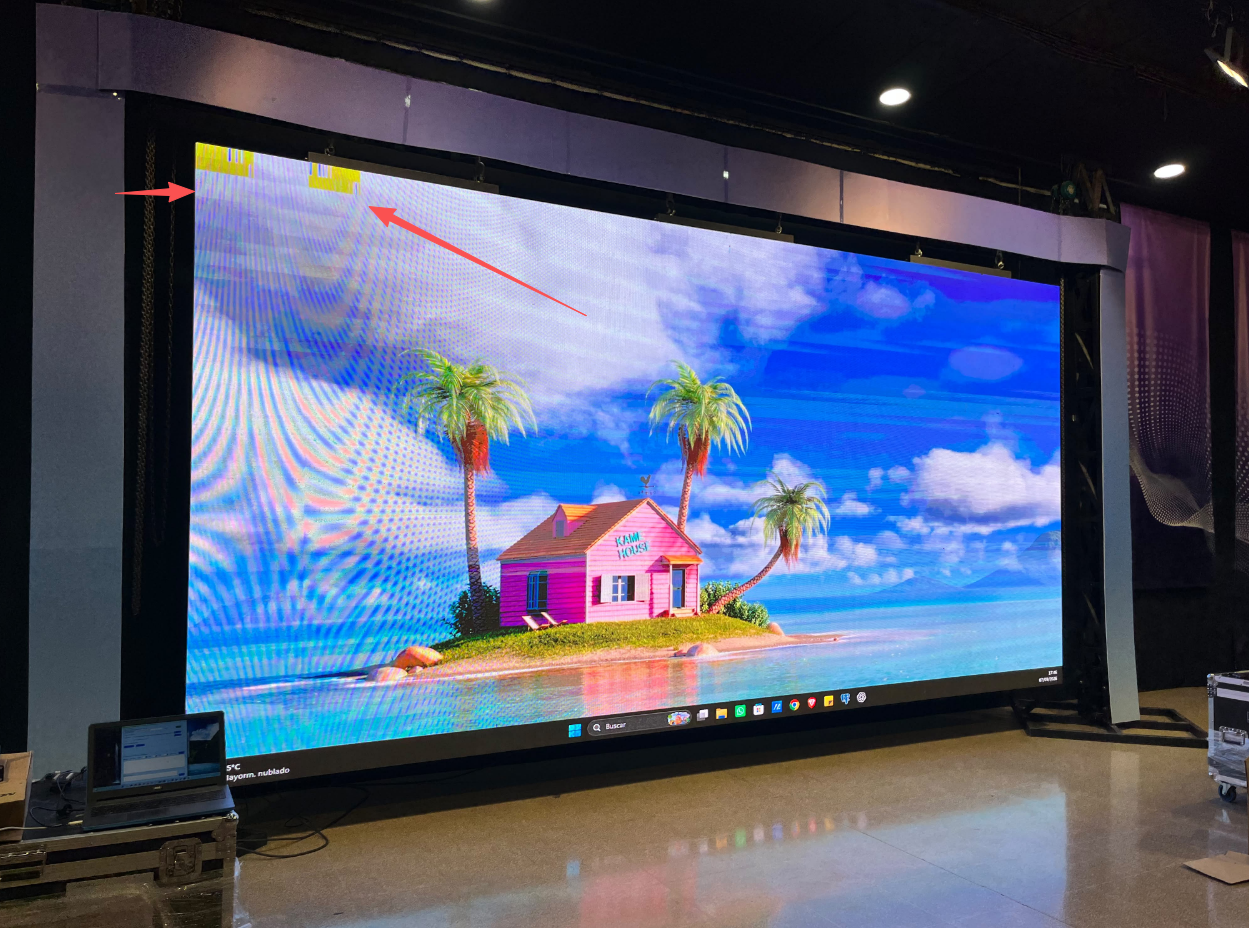
Step 1: Check the hub board connection
Color spots are most commonly caused by poor contact at the HUB board interface. Handling during assembly or removing/installing modules during maintenance can loosen the HUB board interface, resulting
in poor signal contact. Re-seat the HUB board interface in the affected area, ensuring it is plugged in fully and straight. Wipe the metal contact pins of the hub-board interface with an alcohol swab to remove
any potential oxidation layer.
Step 2: Check the receiving card
If the hub-board is fine, check the receiving card next. Color spots can sometimes result from an issue with the receiving card's output channels. Locate the receiving card corresponding to the affected area and
observe its indicator light; under normal conditions, it should remain steadily lit or flash at a regular interval. If the indicator light flashes abnormally or does not light up at all, try replacing the receiving card. Re
-seat the signal cable and network cable connections on the receiving card.
Step 3: Check the driver IC
If the color spots are concentrated in a specific module area—and the hub-board, receiving card, and parameters are all normal—the issue may lie with the module's driver IC. Electrostatic discharge (ESD) during
installation and maintenance could have damaged the driver IC. Replace the module to test.
Static electricity on LED displays primarily originates from frictional charging, human contact, and equipment induction. Addressing it involves two core actions: dissipating the static (grounding) and preventing
its accumulation (insulation and humidity control).
How to handle it
1.Grounding (most direct and effective method): Reliably ground the display's metal structure, power supply, and workstation to allow static electricity to discharge directly into the earth.
2.Operational protocols: During installation and maintenance, wear a wired anti-static wrist strap (wireless versions have limited effectiveness) and anti-static gloves.
3.Environmental control: Maintain the relative humidity in the workspace above 40% (add moisture if the air is too dry);
4.Regularly clean dust from the screen to reduce the accumulation of static charge.
Step 4: Check the power supply voltage
Unstable output voltage from the power supply module can also cause color spots. Use a multimeter to measure the output voltage; it should normally be 5V or 4.5V. If the voltage fluctuates significantly, replace
the power supply.
 Sarah
 Echo
 Cliff
Name
Email*
*Phone
Message
*