


How to Choose an LED All-in-One Display for a Conference Room
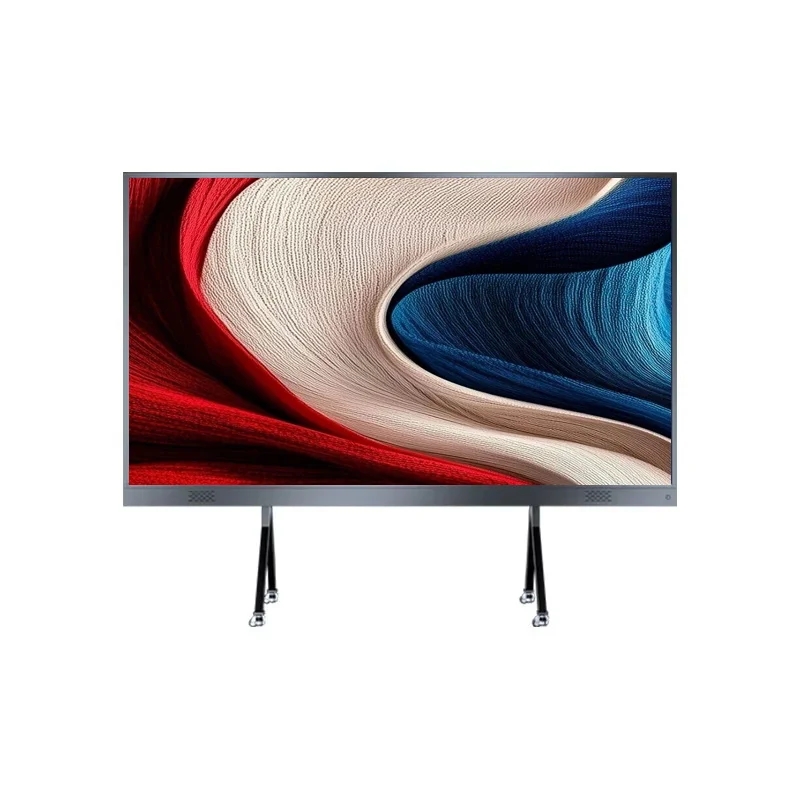
Choosing an LED all-in-one display is not simply about choosing the biggest screen or the lowest price. The right solution depends on the room size, viewing distance, content, lighting conditions, and how
the display will be used.
For businesses planning a new conference room, understanding a few key points before purchasing can help avoid unnecessary costs and installation problems.
1. Start With Viewing Distance
The first thing to consider is how far the last row of viewers will be from the screen.
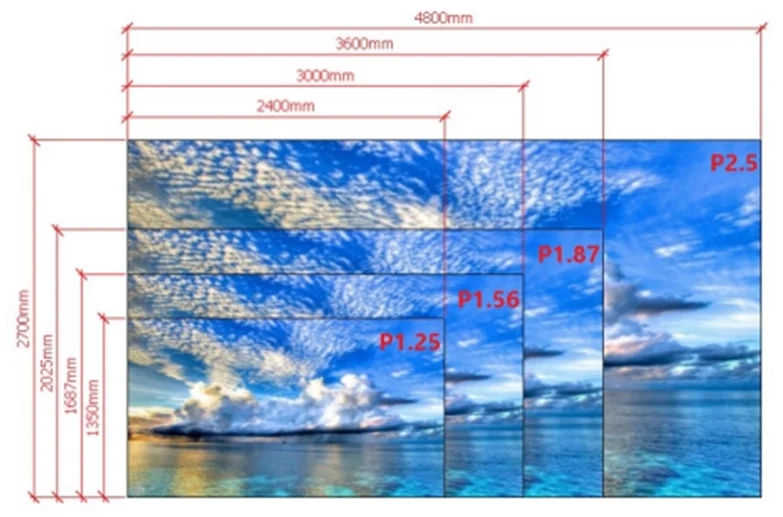
As a general reference, a 108-inch display can work well for smaller meeting rooms with a viewing distance of around 3 meters. 135 inches is a common option for medium-sized conference rooms, while 163
inches or larger may be more suitable for larger training rooms and meeting spaces with viewing distances above 4.5 meters.
However, screen size should not be selected based on room size alone. If the display will frequently show spreadsheets, financial data, engineering drawings, or other detailed content, a larger screen or finer
pixel pitch may provide better readability.
2. Choose the Right Pixel Pitch and LED Technology
For conference rooms, fine-pitch LED displays are commonly used. Options such as P1.2, P1.5, and P1.8 are suitable for relatively close viewing distances and can provide clear text and detailed images.
You may also need to choose between COB and SMD.
COB provides a smoother and more protected surface, making it suitable for close viewing, touch applications, and high-traffic environments.
SMD has a mature supply chain, flexible pixel-pitch options, and convenient module maintenance. For standard corporate conference rooms without frequent touch interaction, SMD can still be a practical choice.
The key is not choosing the most advanced technology, but choosing the technology that fits the application.
3. Don't Ignore Brightness and Reflection
Conference rooms are usually well-lit, with ceiling lights, windows, or glass walls. This means screen brightness and reflection both need to be considered.
Brightness is measured in cd/m² (nits). A display with adjustable brightness allows users to adapt the screen to different lighting conditions.
Reflection is another issue that is often overlooked. Strong ceiling lights or sunlight can create reflections on the screen and make text difficult to read.
When evaluating a display, it is better to see how it performs under lighting conditions similar to the actual conference room rather than relying only on showroom demonstrations.
4. Check System Compatibility Before Buying
An LED all-in-one display is designed to simplify the conference room setup, but it still needs to work with the systems your company already uses.
Before purchasing, check compatibility with platforms such as Microsoft Teams, Zoom, and Webex, as well as wireless screen sharing from Windows, Mac, Android, and iOS devices.
For larger corporate projects, compatibility with existing AV or control systems such as Crestron, Extron, or AMX may also need to be confirmed.
5. Think About Installation and Maintenance
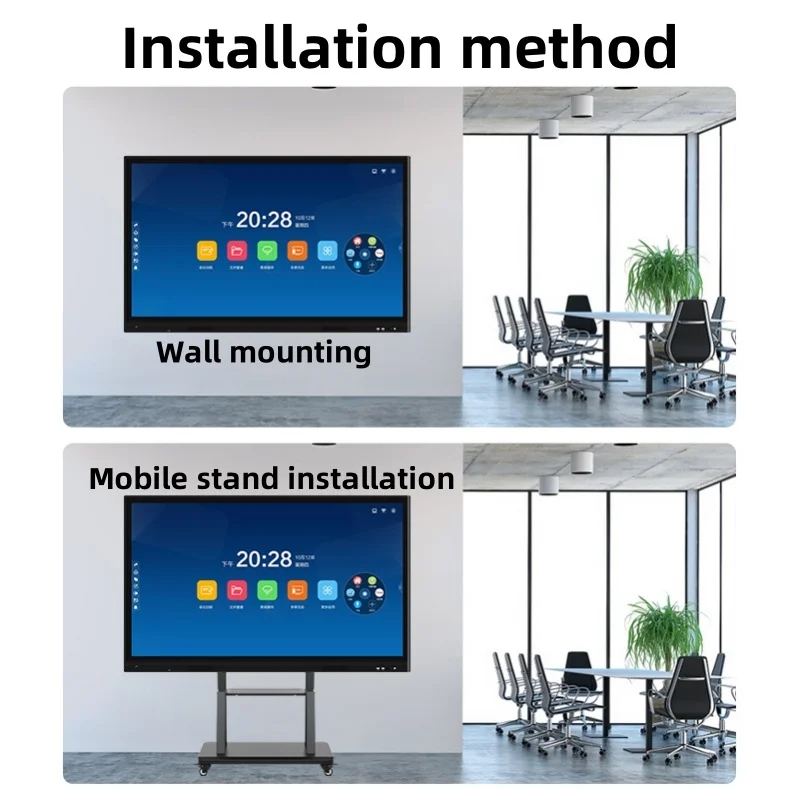
Wall mounting is common for conference rooms, but it is not suitable for every project. Depending on the building structure and office conditions, a floor stand or mobile stand may be a better solution.
Maintenance is equally important.
For wall-mounted LED displays, front maintenance can make future servicing much easier because technicians can replace modules from the front without accessing the rear of the display.
Before ordering, ask the supplier whether spare modules are included, how modules are replaced, and whether technical support is available after installation.
6. Don't Compare Only the Screen Price
When comparing different LED display suppliers, look beyond the basic screen price.
A complete LED all-in-one solution may include LED modules, cabinets, receiving cards, power supplies, processors, installation structures, spare parts, and packaging.
For overseas projects, packaging is particularly important. The display may need to travel by sea or air before reaching the installation site, so proper protection against vibration and impact should be considered.
A good supplier should be able to recommend not only the display configuration, but also the appropriate installation, maintenance, and transportation solution.
| A Simple Buying Checklist | |
| What to Check | What to Consider |
| Screen Size | Viewing distance and room size |
| Pixel Pitch | Content and viewing distance |
| COB or SMD | Application and maintenance needs |
| Brightness | Room lighting |
| Reflection | Windows and ceiling lights |
| Compatibility | Teams, Zoom, Webex and AV systems |
| Installation | Wall, floor or mobile mounting |
| Maintenance | Front service and spare modules |
| Packaging | Protection during shipping |
There is no single LED all-in-one display that fits every conference room.
For many medium-sized meeting rooms, 135 inches can be a practical starting point, but the final configuration should always be based on viewing distance, content, lighting, and installation conditions.
Instead of simply asking for the lowest price or the smallest pixel pitch, give the manufacturer your room size, viewing distance, application, installation method, and main content.
With the right project information, an experienced LED manufacturer can help you select a display that is easier to install, maintain, and use over the long term
 Sarah
 Echo
 Cliff
Name
Email*
*Phone
Message
*